Theme Installation
It’s easy to install Agenvix. Just follow these steps, they won’t take much of your time.
Quick Install
- Download the theme zip file from your from Themeforest .
- All files & documentation (full zip folder). You will need to extract and locate the installable WordPress file to upload when installing theme
- Log in to your WordPress Dashboard (Ex: http://yourwebsite.com/wp-admin).
-
Navigate to
Appearance>Themes.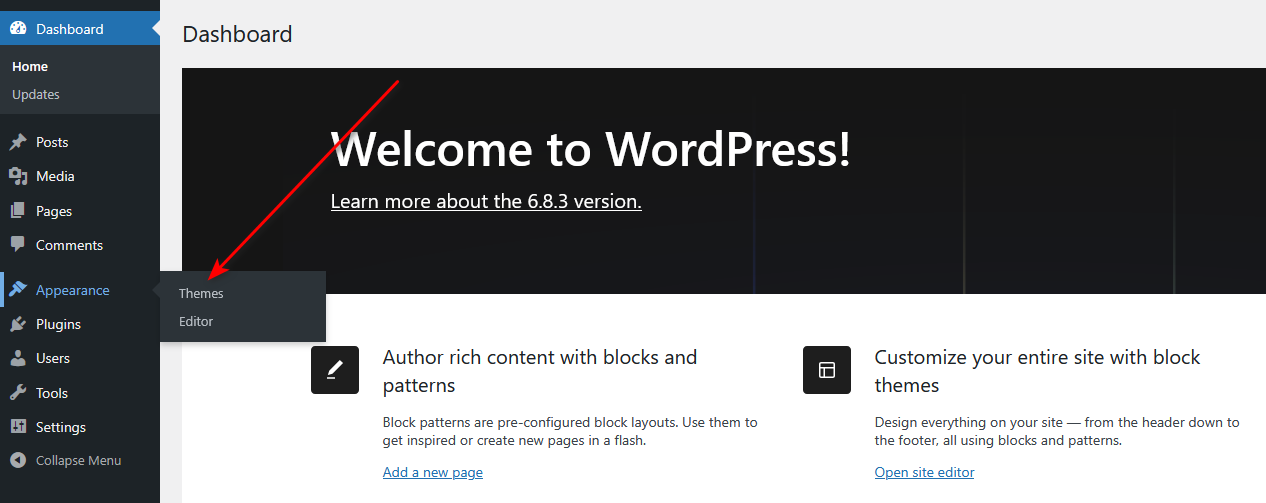
-
Click
Add New, then clickUpload Theme>Browse...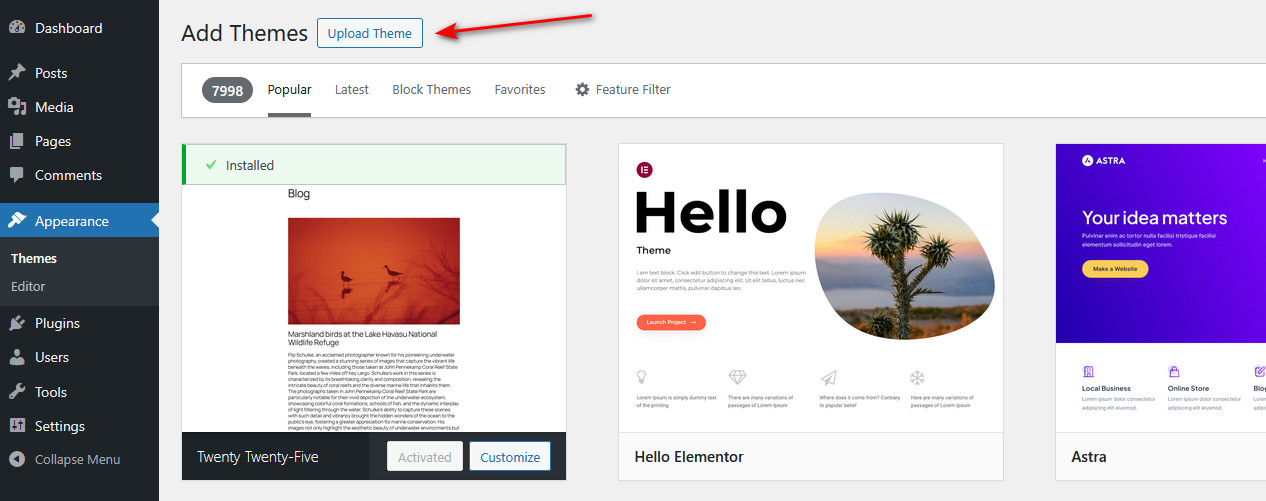
-
Navigate to the .zip file on your computer, then click
Install Now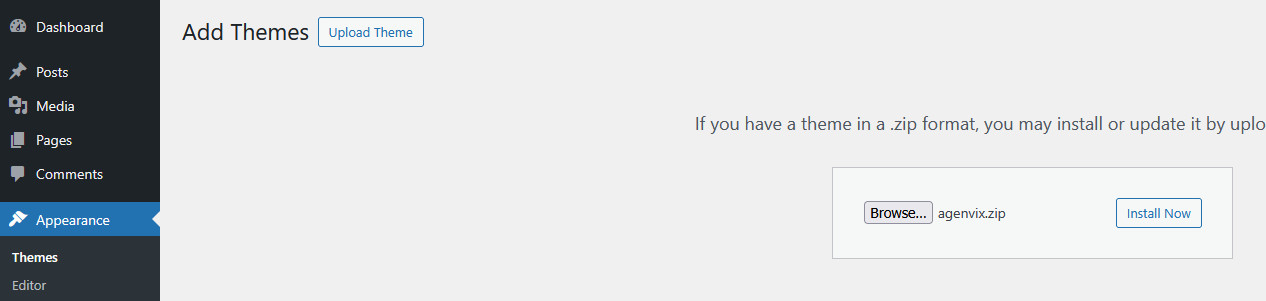
Install via FTP
To manually upload your new WordPress theme, login with your credentials to your website and locate the wp-content folder in your WordPress install files. Upload the un-zipped 'agenvix' folder into the: wp-content/themes folder.
Once uploaded, activate the theme by heading to the “Themes” menu in the WordPress Dashboard. Locate the theme and hit Activate.
The theme files will be stored on your server in the wp-content/themes/ location.
Note: When uploading your theme with the installer, please ensure you are uploading the theme .zip file, not the entire package you downloaded. In this case, you will be uploading Agenvix.zip.