Logo Logo v2.1
Image Description Image Description

No Results

  • Get Support
  • Preview Demo
Logo Logo v1.0.0
  • Documentation
  • Introduction
  • Theme Requirements
  • Installation
  • Theme Installation
  • Plugin Installation
  • Demo Installation
  • Page
  • Create a New Page
  • Build Page using Elementor
  • Page Title
  • Site Configuration
  • Header
  • Footer
  • Contact Form
  • Contact Form
  • Post
  • Create Post
  • Post Category
  • Widget
  • Add & Edit Widget
  • Elementor
  • Edit With Elementor
  • Elementor Widgets
  • Support
  • Support System

Create a New Page

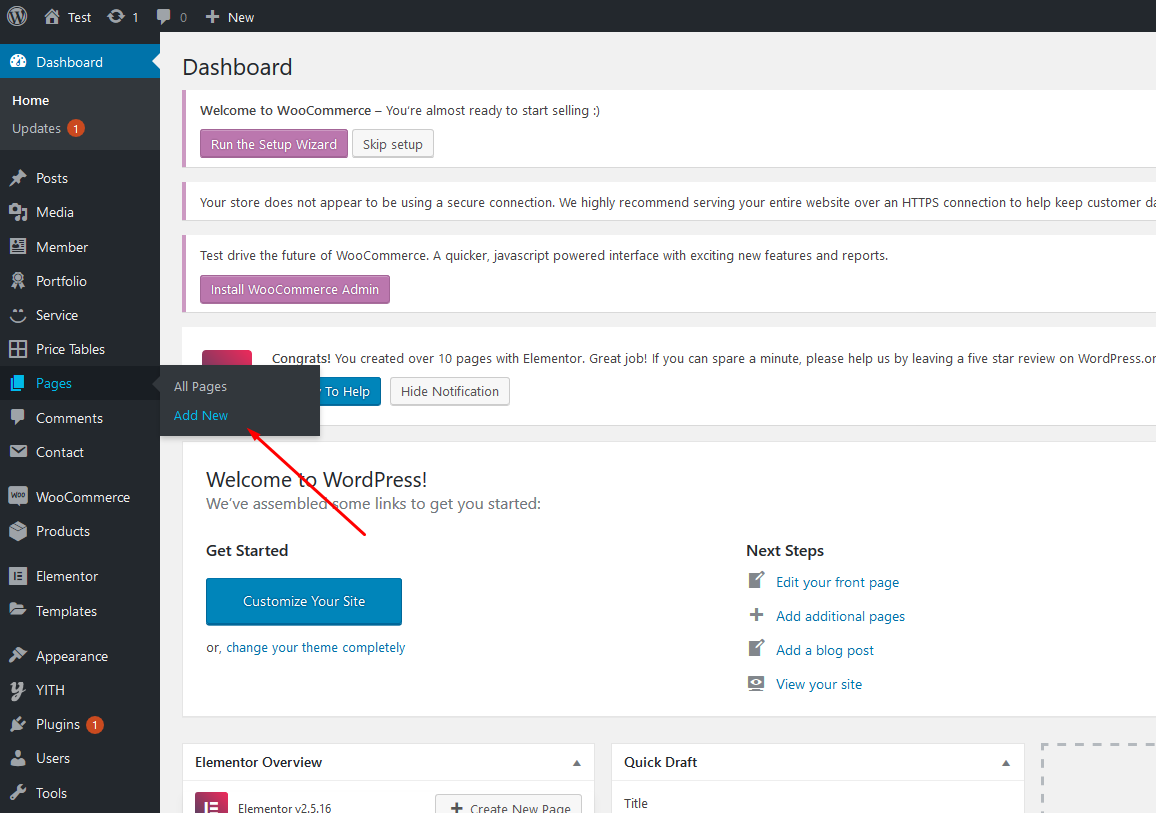
  1. Navigate to Pages in your admin sidebar and click Add New option.

    demo

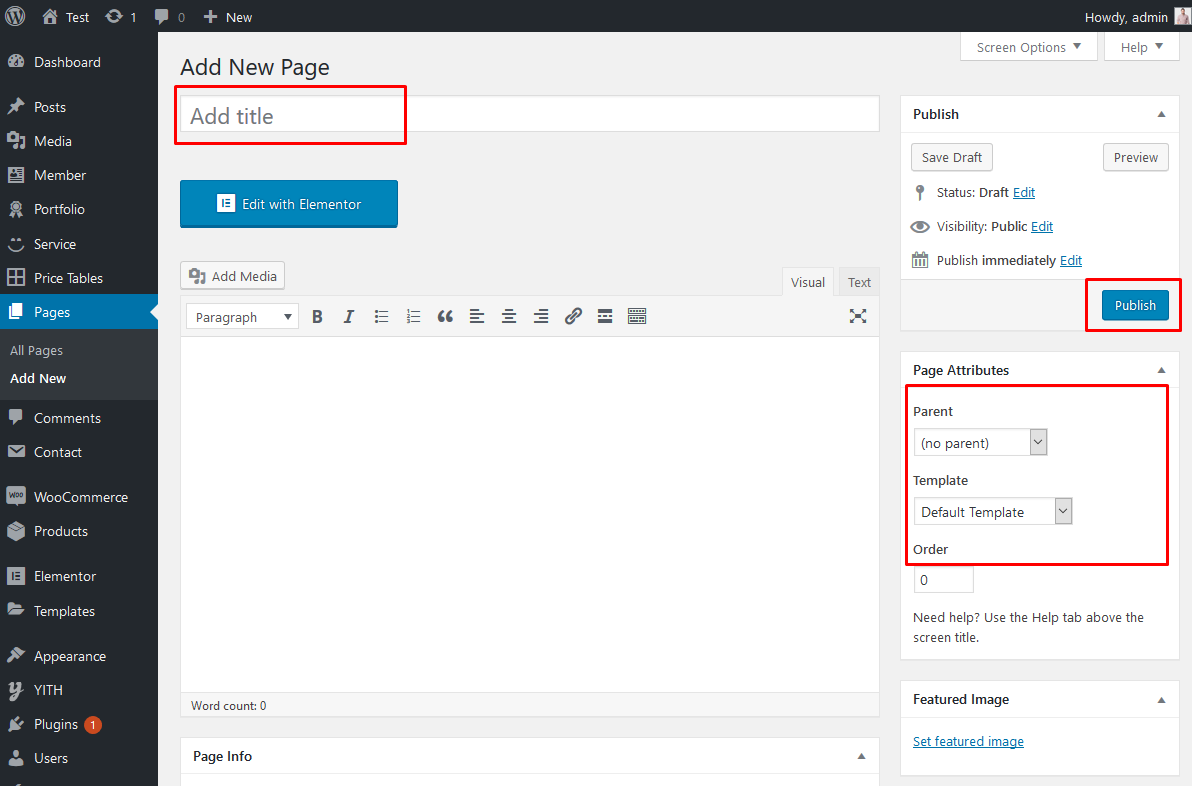
  2. Enter a new name for your page, then find the Page Attributes box on right side to set your Parent or Template page.
    demo