Logo Logo v2.1
Image Description Image Description

No Results

  • Get Support
  • Preview Demo
Logo Logo v1.0.0
  • Documentation
  • Introduction
  • Theme Requirements
  • Installation
  • Theme Installation
  • Plugin Installation
  • Demo Installation
  • Page
  • Create a New Page
  • Build Page using Elementor
  • Page Title
  • Site Configuration
  • Header
  • Footer
  • Contact Form
  • Contact Form
  • Post
  • Create Post
  • Post Category
  • Widget
  • Add & Edit Widget
  • Elementor
  • Edit With Elementor
  • Elementor Widgets
  • Support
  • Support System

Page Title

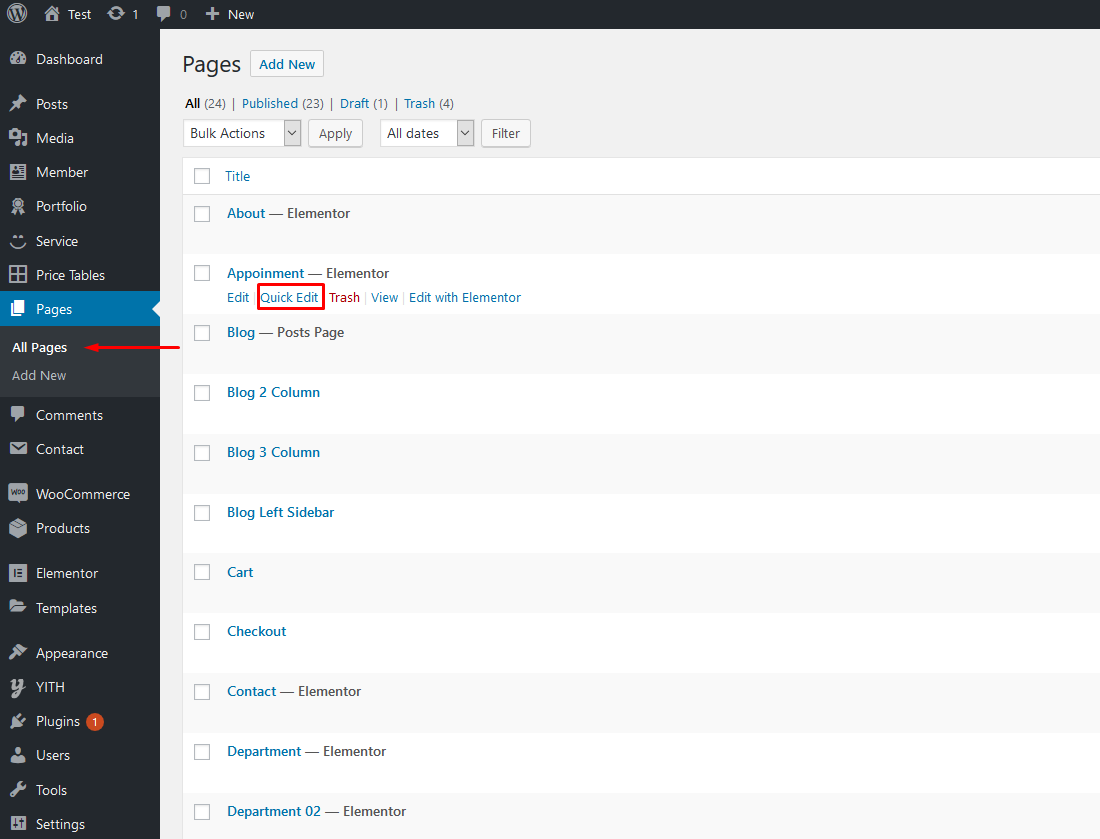
  1. Go to Pages > All Pages. Then point at the page you want to edit. You will see the Quick Edit option.
    page-title

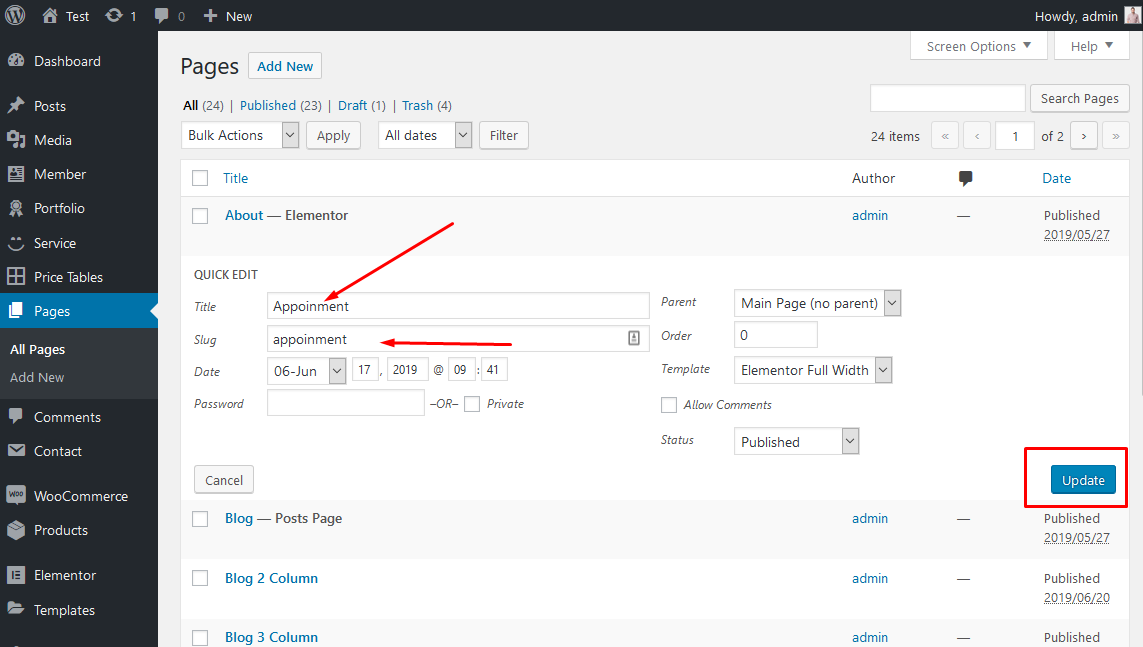
  2. Edit the title as you want. Delete the current slug. Then hit Update. It will automatically generate new slug for your page.
    page-title

You can also edit some other options such as parent, template, status... If you want to edit more options, hit Edit instead of Quick Edit.