Logo Logo v2.1
Image Description Image Description

No Results

  • Get Support
  • Preview Demo
Logo Logo v1.0.0
  • Documentation
  • Introduction
  • Theme Requirements
  • Installation
  • Theme Installation
  • Plugin Installation
  • Demo Installation
  • Page
  • Create a New Page
  • Build Page using Elementor
  • Page Title
  • Site Configuration
  • Header
  • Footer
  • Contact Form
  • Contact Form
  • Post
  • Create Post
  • Post Category
  • Widget
  • Add & Edit Widget
  • Elementor
  • Edit With Elementor
  • Elementor Widgets
  • Support
  • Support System

Plugin Installation

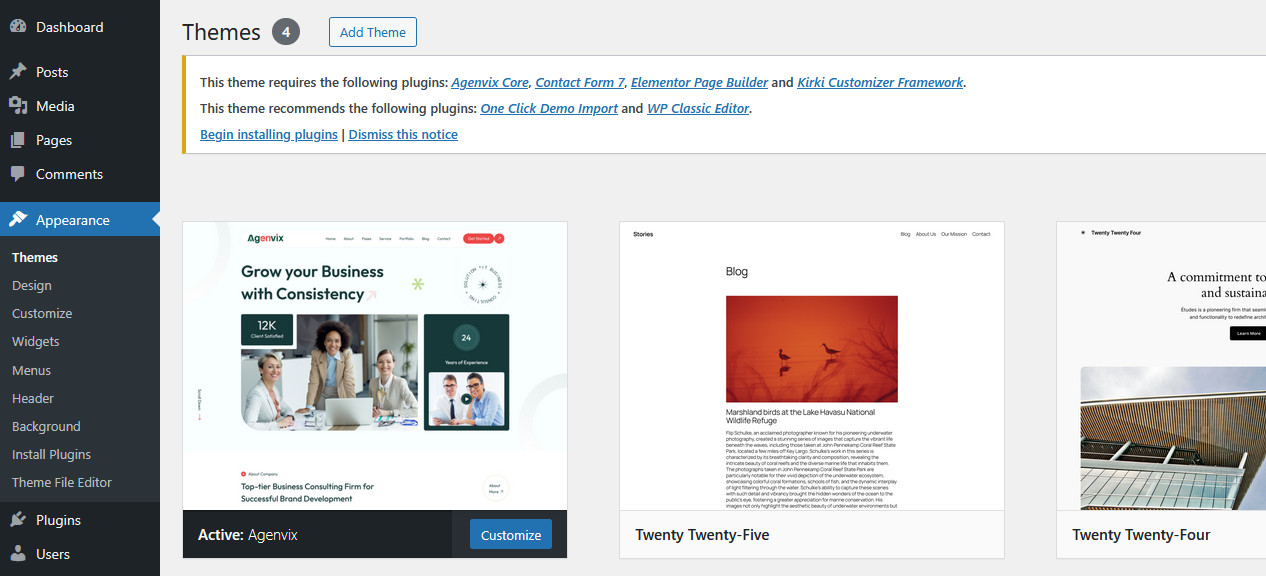
After activating agenvix, you will see this notice:
plugin

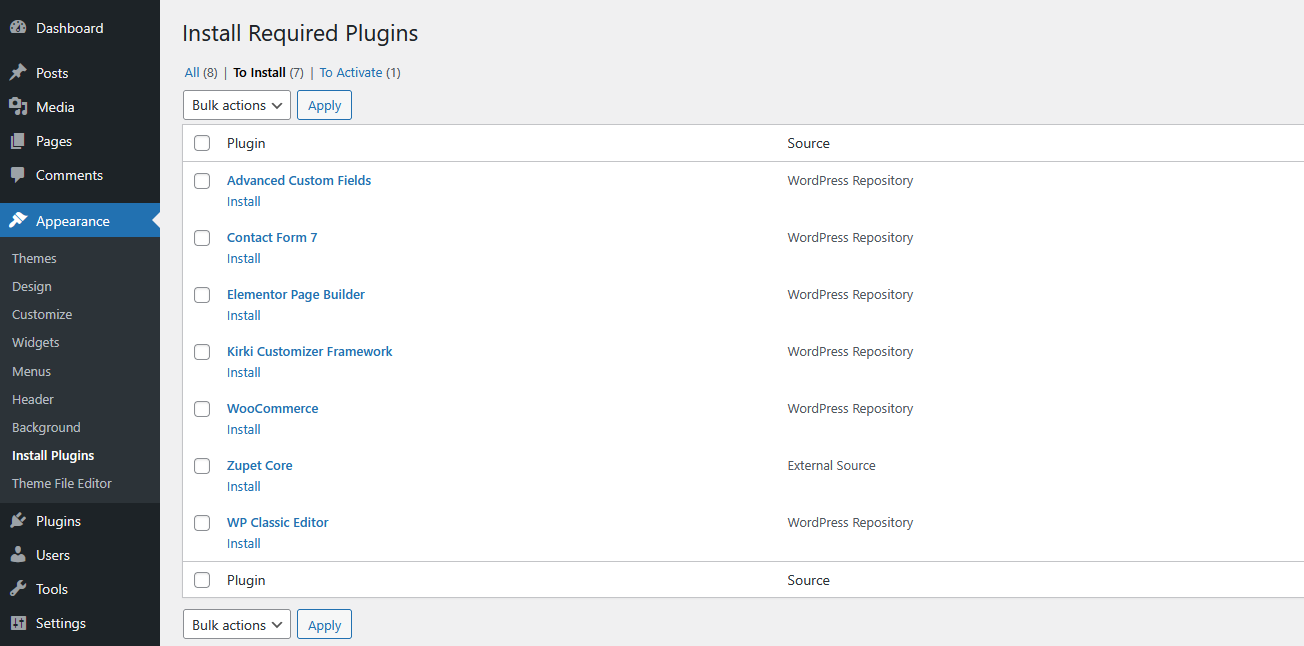
Click Begin installing plugins. You will be navigated to Install Required Plugins page.

Simply check all of them (or all of required plugins and some recommended plugins you like) and from the drop down select Install, then hit Apply.
plugin