How to Edit Widget
-
Hit
Appearance > Widgets. Choose a widget you want to edit. -
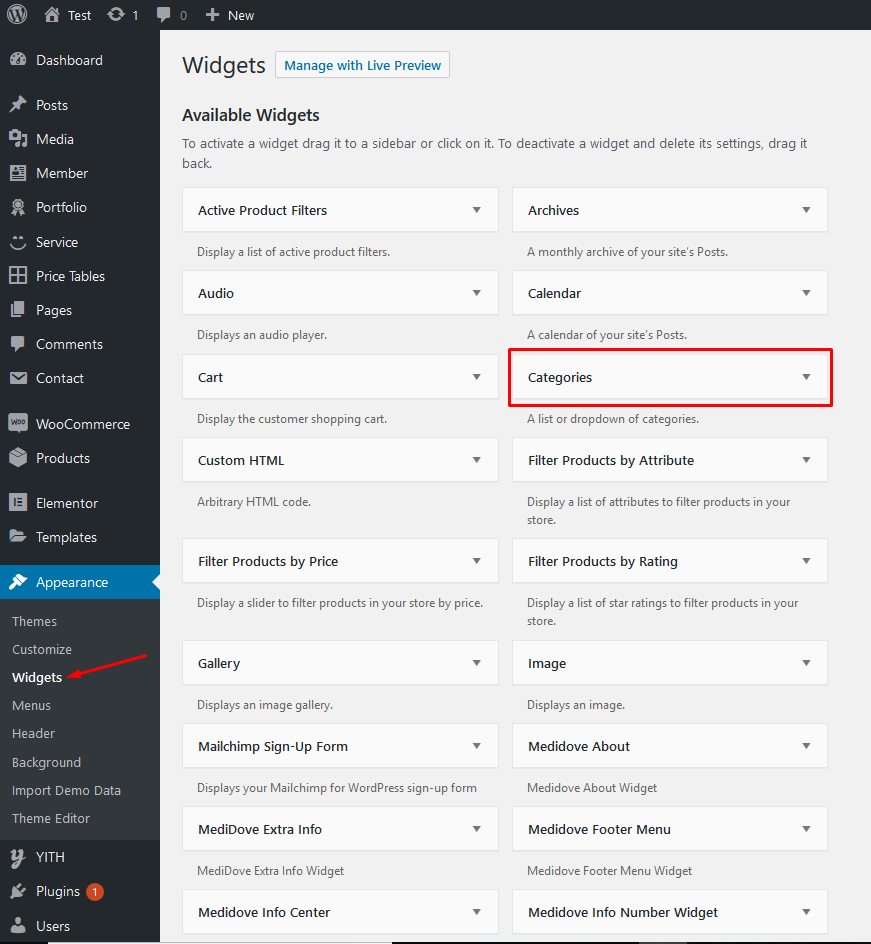
-
Then choose its area as you wish and hit
Add Widget. -
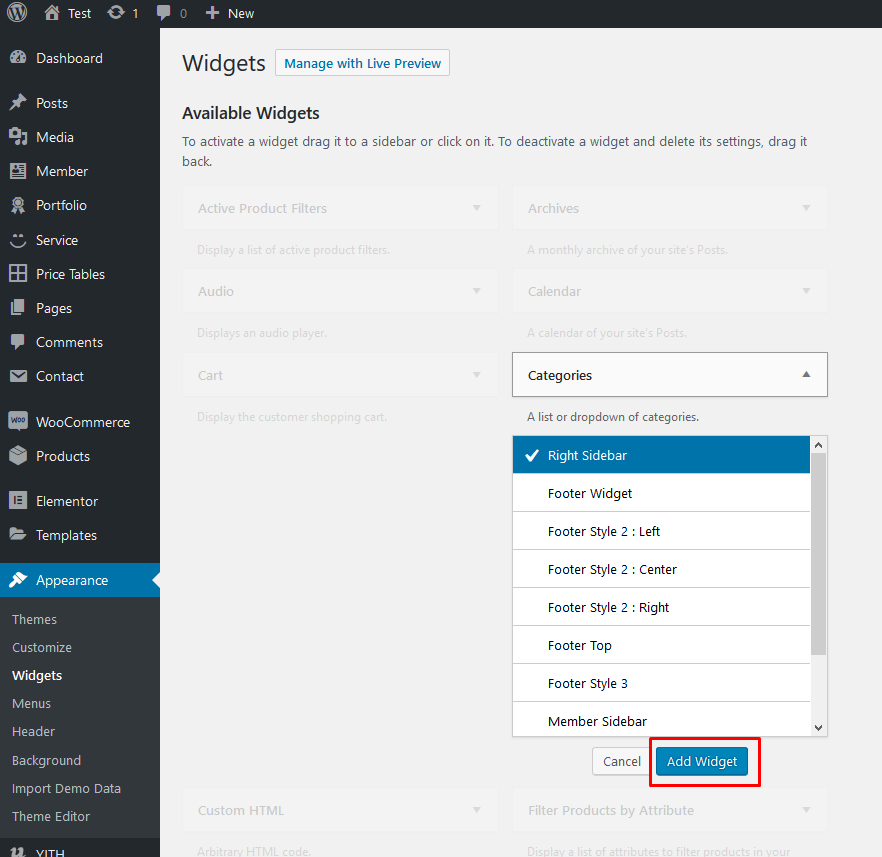
-
Then go to the right where you will notice a just-added widget. In this case,
SearchonFooter|#2. Type information and hitSave. -
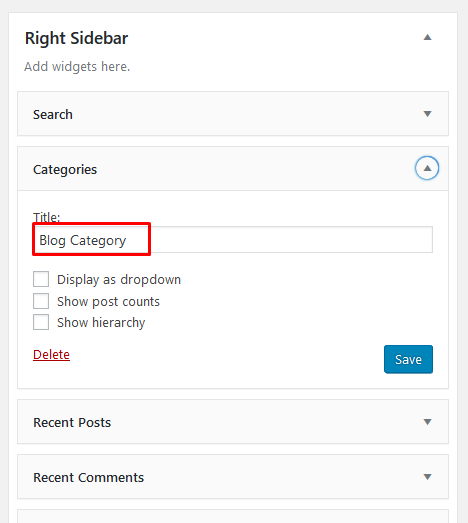
-
Finally Widget setup done. See your site now