Important Third-Party Services and Additional Costs
- TripMind integrates with external services, including AI model and vision providers, Google Maps, weather services, translation APIs, email services, SMS gateways, social-login platforms, payment gateways, cloud-storage services, currency-exchange APIs, CAPTCHA, and push-notification providers. These services are not included in the item purchase price.
- Buyers must create and configure their own accounts, API keys, credentials, service permissions, and billing methods for the third-party services they want to use.
- Usage, subscription, messaging, mapping, weather-data, translation, storage, payment-processing, AI token, image-generation, vision-processing, or other service fees may be charged separately by the respective third-party providers.
- Service availability, free allowances, request limits, regional support, approval requirements, and pricing are controlled by the respective providers and may change independently of TripMind.
- All third-party accounts, configurations, usage limits, billing arrangements, and related costs are the buyer’s responsibility.
Third-Party & External APIs Setup
TripMind AI seamlessly integrates with external intelligence, navigation, weather, messaging, and storage providers. Follow the steps below to configure your credentials.
Buyer & Operator Notice:
TripMind AI utilizes external API services including OpenAI,
Google Gemini, Google Maps, WeatherAPI, and SMS gateways.
These third-party services provide generous free tiers or
require separate developer accounts. You must obtain and
configure your own API keys in .env or directly
via the Admin Control Panel.
01. Google Gemini AI Configuration
Google AI Studio – Gemini API
Google Gemini powers TripMind AI's automated day-by-day
itinerary generation, travel story flows, and destination
insights. Recommended models:
gemini-2.5-flash and
gemini-2.5-flash-lite.
- Sign in to Google AI Studio with your Google account.
- Click Get API key and generate a key for your project.
-
Copy the key and enter it in
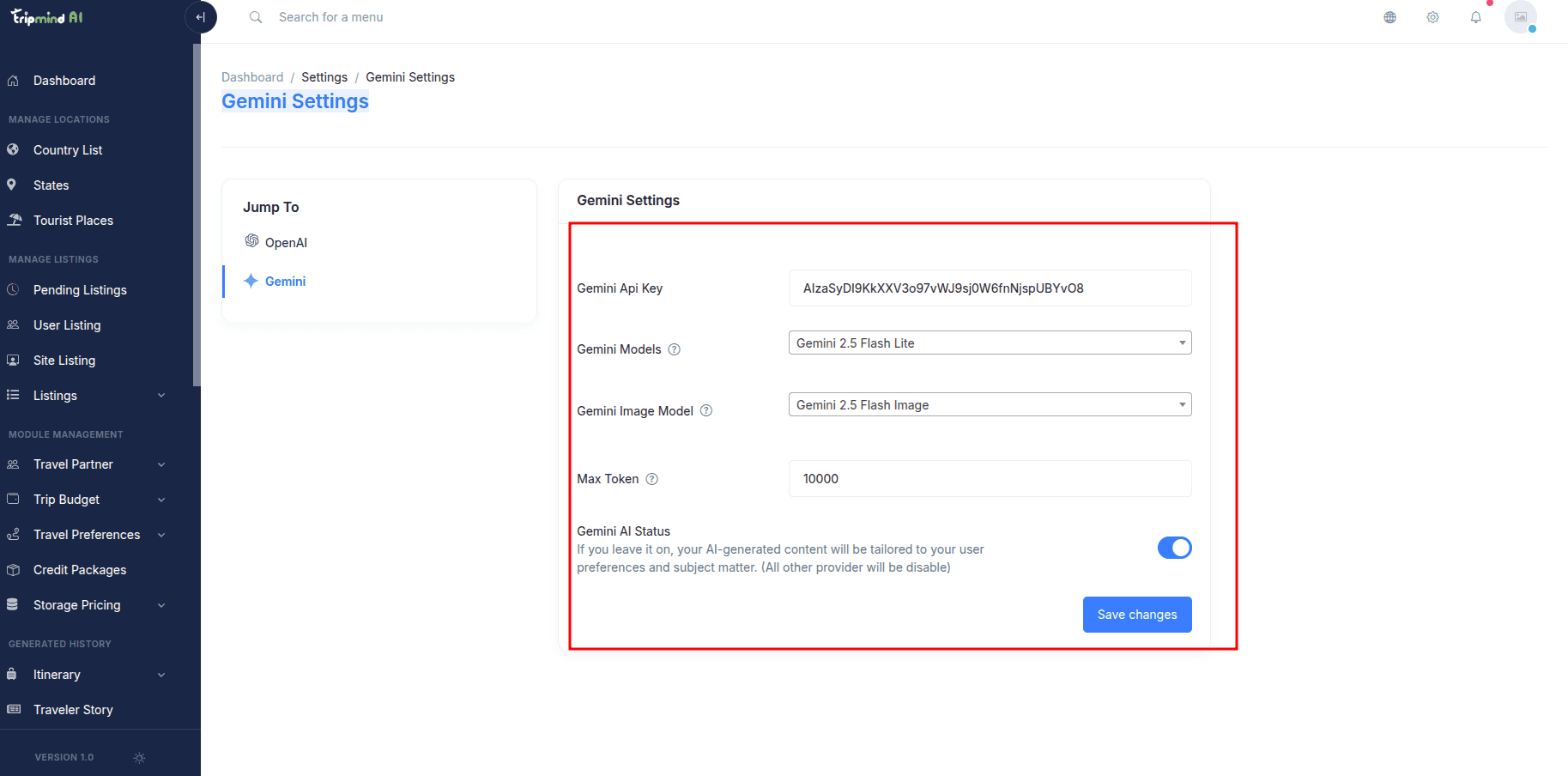
.envunderGEMINI_API_KEYor via Admin Panel → Settings → AI Models → Gemini.
02. OpenAI API Configuration
OpenAI Platform – GPT-4o & Assistant
OpenAI provides conversational travel assistance, AI vision scan history, and custom trip recommendation prompts.
Get OpenAI API Key- Log in to OpenAI Platform and navigate to API Keys.
- Create a new secret key and add credit balance to your OpenAI billing.
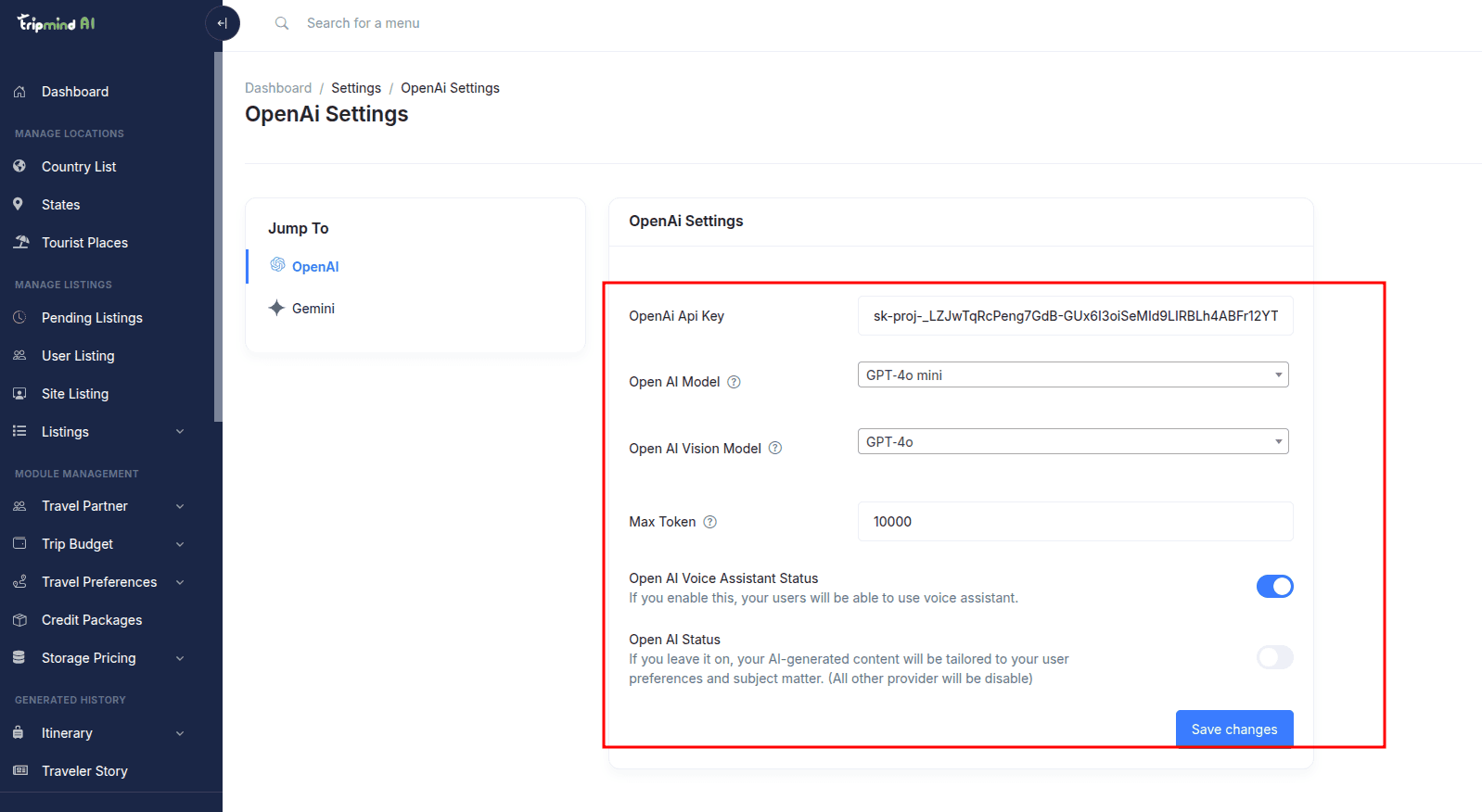
- Enter the key in Admin Panel → Settings → AI Models → OpenAI.
03. Google Maps Platform API
Interactive Navigation, Geocoding & Autocomplete
Google Maps powers interactive trip destination routing, tourist attraction markers, and address search.
Google Maps Platform DocumentationEnsure the following APIs are enabled in your Google Cloud Console:
- Maps JavaScript API — Rendering interactive maps on the frontend and itinerary view.
- Places API & Geocoding API — Place search and coordinate conversion.
- Directions API — Day-by-day travel route suggestions.
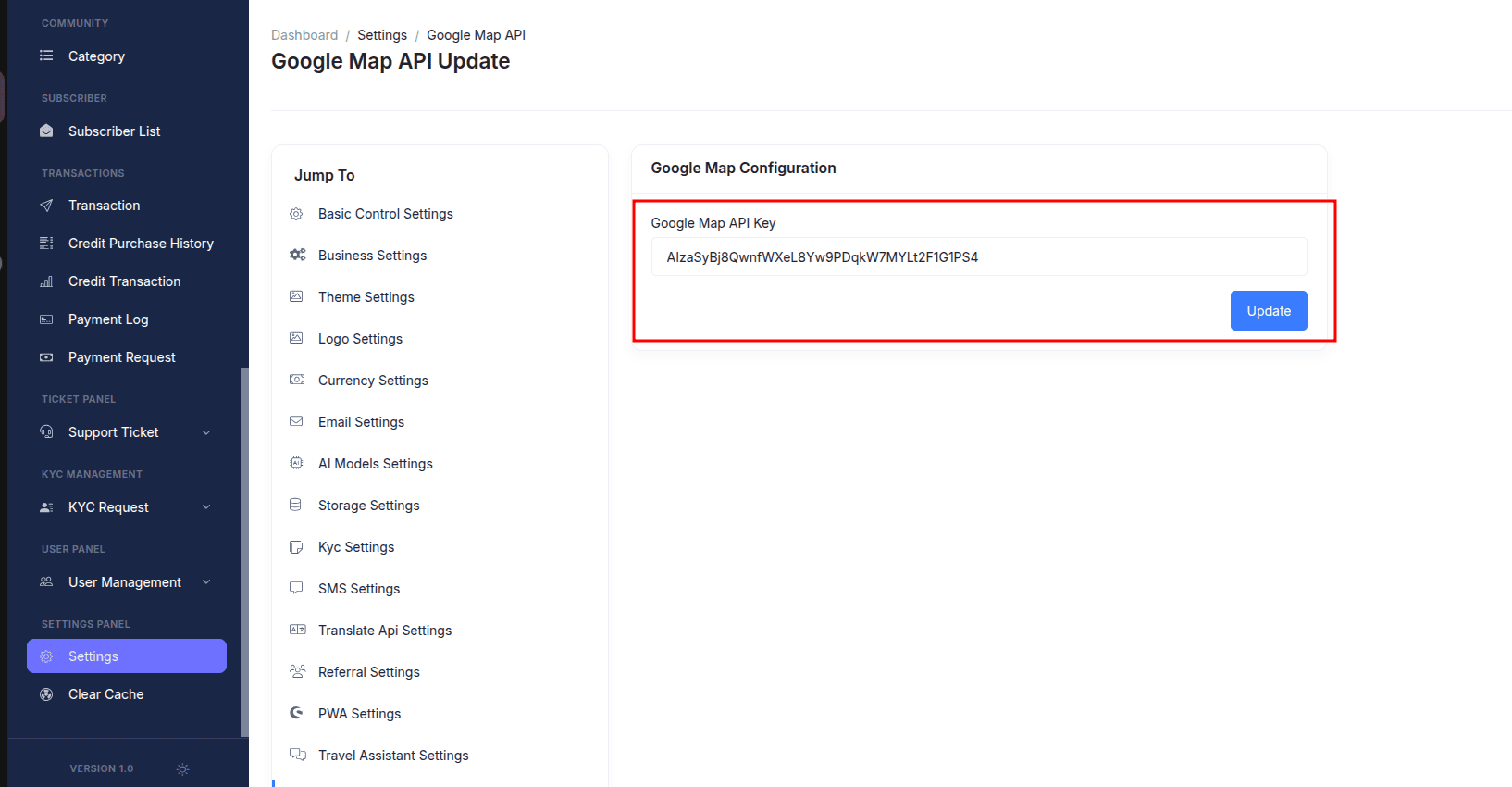
After generating your API key, save it in
.env as GOOGLE_MAP_API_KEY
and in Admin Panel → Settings → Google Map API.
04. WeatherAPI Forecast Integration
Real-Time Travel Spot Weather Conditions
TripMind AI displays live 7-day weather forecasts, humidity, precipitation, and temperatures on tourist place pages and itinerary days.
Get Free API Key (WeatherAPI.com)
Sign up at WeatherAPI.com, copy your API key, and
configure it under WEATHER_API_KEY in
.env or via
Admin Panel → Settings → Weather API.
05. File Storage Drivers (AWS S3 & DigitalOcean)
Scalable Traveler Photo Vault & Gallery Storage
TripMind supports Local Disk, Amazon AWS S3, DigitalOcean Spaces, FTP, and SFTP for user trip gallery uploads and site media.
Amazon AWS S3
Global high-speed bucket storage with IAM keys.
Custom FTP Storage
Connect remote storage servers via FTP.

Secure SFTP
SSH-encrypted file uploads for dedicated nodes.
Configure your default storage disk via Admin Panel → Settings → Storage.
06. Real-Time Push & WebSockets (Firebase & Pusher)
Live Group Trip Chat & Instant Collaboration Alerts
When travelers vote on places, add shared trip expenses, or message their trip buddies, updates are delivered instantaneously.
-
Firebase Cloud Messaging (FCM):
Upload your
firebase-service.jsoncredentials via Admin Panel → Settings → Notification Configuration → Firebase for web push notifications. -
Pusher Channels:
Enter your
PUSHER_APP_ID,PUSHER_APP_KEY,PUSHER_APP_SECRET, andPUSHER_APP_CLUSTERin Notification Configuration → Pusher.
07. SMS Gateway Integrations
TripMind AI includes built-in drivers for world-class SMS notification gateways:
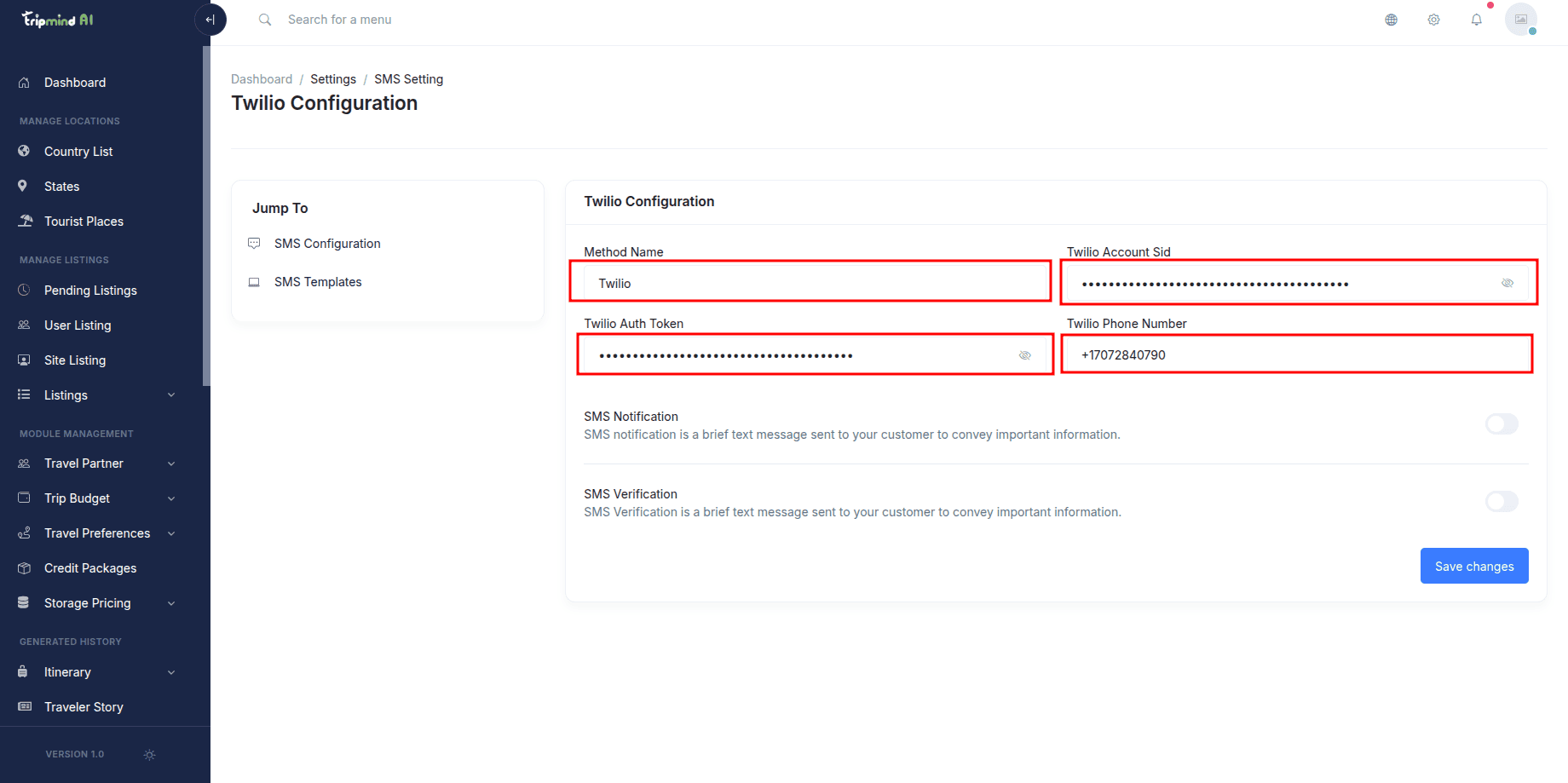
Twilio
Create an account at Twilio.com, obtain your Account SID, Auth Token, and Twilio phone number, and enter them under Admin Panel → Settings → SMS → Twilio.
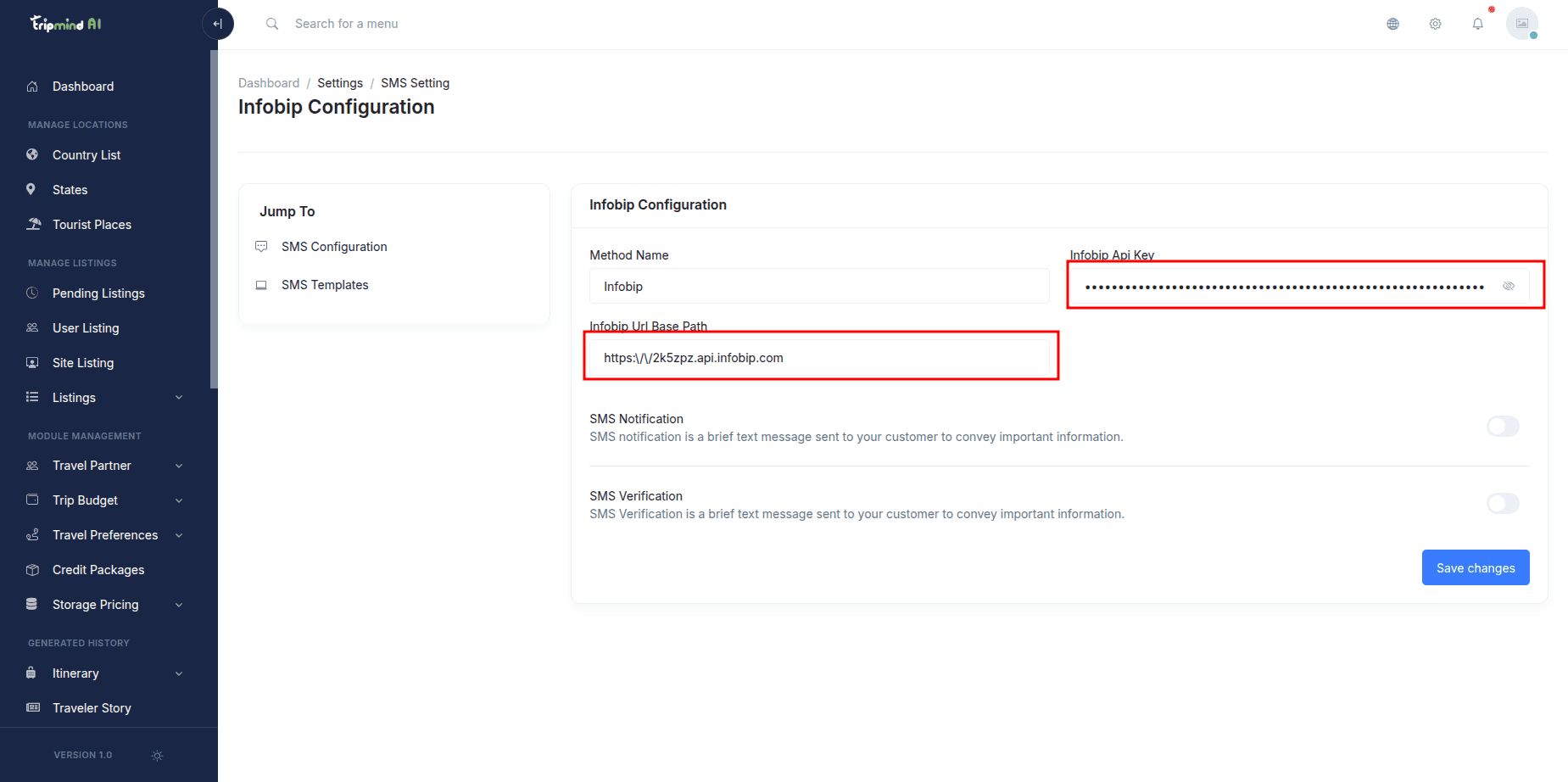
Infobip
Obtain your API key and Base URL from Infobip Developer Tools and configure them under SMS → Infobip.
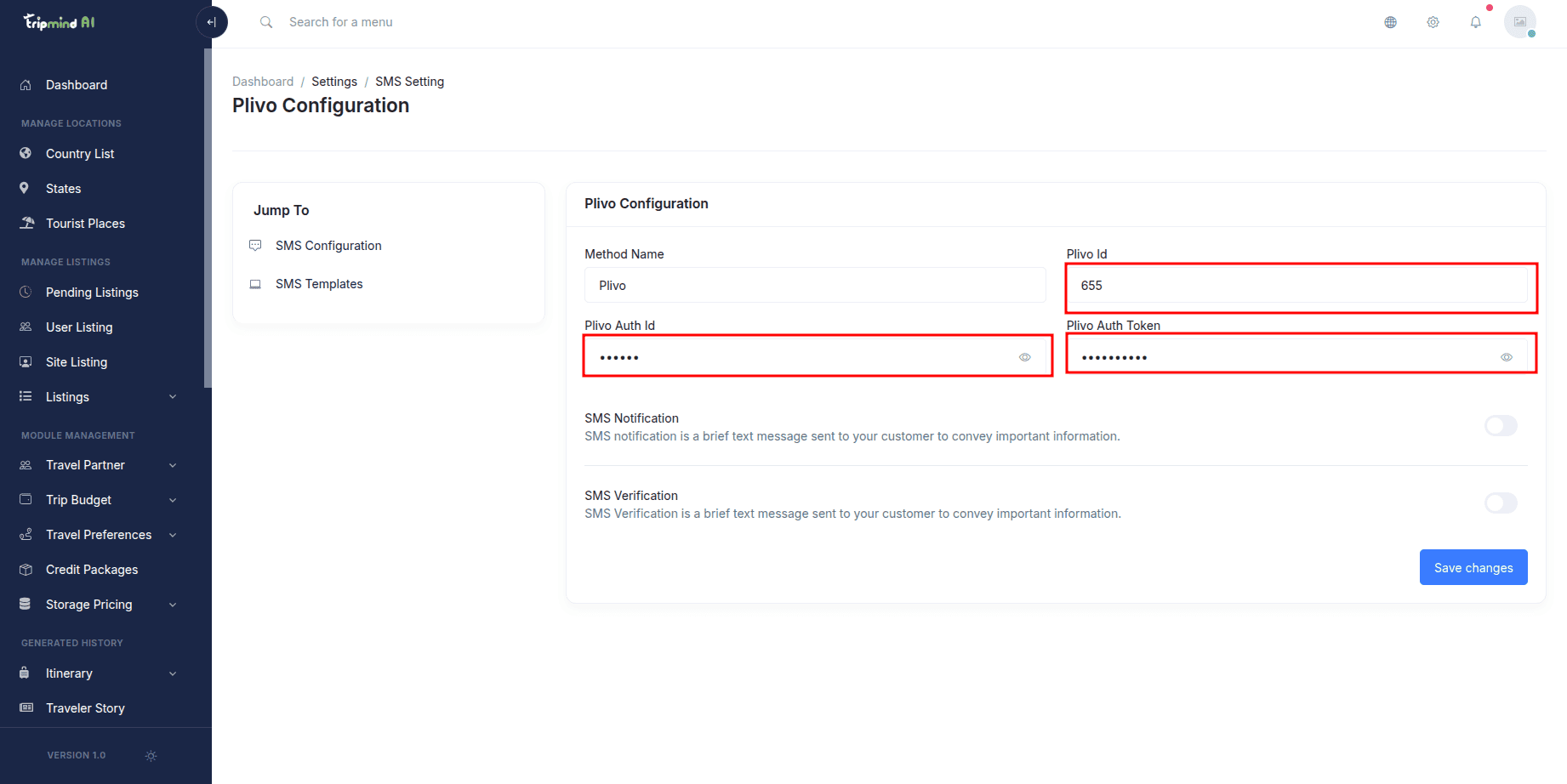
Plivo & Vonage
Enter your Auth ID and Auth Token for Plivo, or API Key and Secret for Vonage.

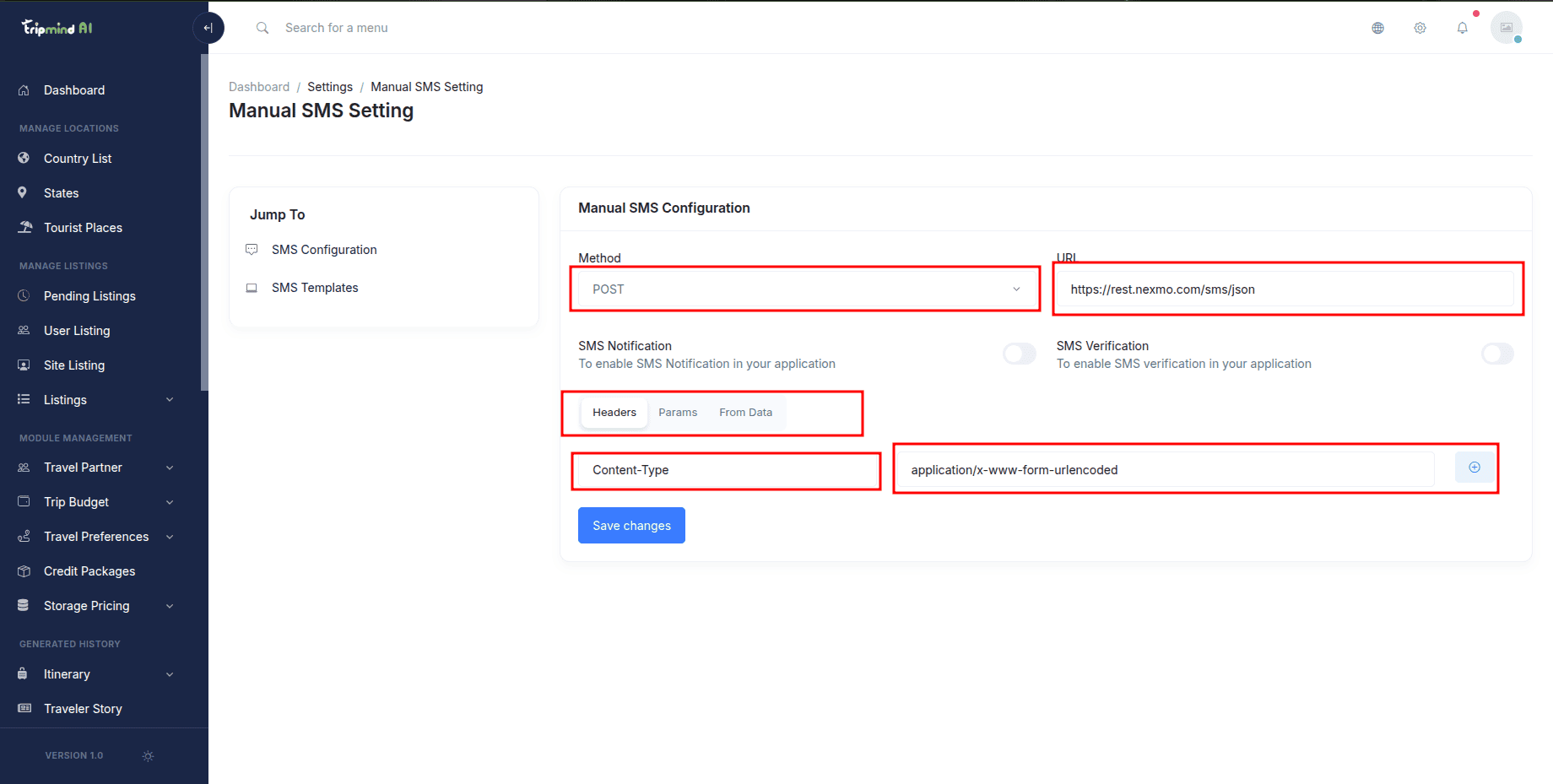
Manual Custom SMS Gateway
If using a regional or custom SMS provider, configure HTTP GET/POST parameters in SMS → Manual Gateway.
08. Socialite OAuth Authentication
One-Click Traveler Sign In (Google, Facebook, GitHub)
Enable one-click registration and authentication for travelers to reduce onboarding friction:
https://yourdomain.com/auth/callback/google.https://yourdomain.com/auth/callback/facebook.https://yourdomain.com/auth/callback/github.Manage and toggle social providers via Admin Panel → Settings → Socialite.